
Connecting the probe to your plant
A moisture probe is only useful once the number reaches something that can act on it. SONO probes wire into a PLC or water-dosing computer the same way any other transmitter does, and the configuration tools are free.
What comes out of the probe
Moisture, temperature and electrical conductivity are all available. On SONO VARIO Xtrem the two analog outputs carry moisture on output 1, and temperature, conductivity or standard deviation on output 2.
| Interface | Specification | Notes |
|---|---|---|
| Analog output | 0–20 mA, 4–20 mA or 0–10 V | The standard route into a PLC or water-dosing computer. Wires in exactly like any other moisture probe — electrical integration is identical to other measuring systems. |
| Digital output | RS 485 | Serial interface for direct digital connection. Ask us before specifying it — the configuration depends on what is reading the probe. |
| Digital output | IMP bus | The robust option for long cable runs. Requires a display unit such as SONO VIEW. Multiple probes can be networked on one bus. |
| Power | System voltage | Powered from system voltage. SONO VARIO Xtrem draws approximately 3 W at +12 to +24 V DC. |
Reading and configuring the probe
You do not need a laptop on the plant floor. SONO VIEW handles commissioning and calibration on its own; the PC route exists for building custom calibrations and pulling logged data.
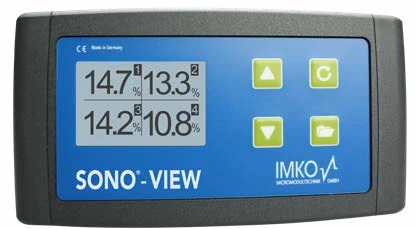
SONO VIEW
Stand-alone display that visualises up to 16 probes and doubles as the configuration tool.
- Visualisation for up to 16 probes on one unit
- Select, change or create calibrations without a laptop
- Read probe measurements directly on site
- Required as the display unit when running probes over the IMP bus
- Optional interface converter to PC, used with free software
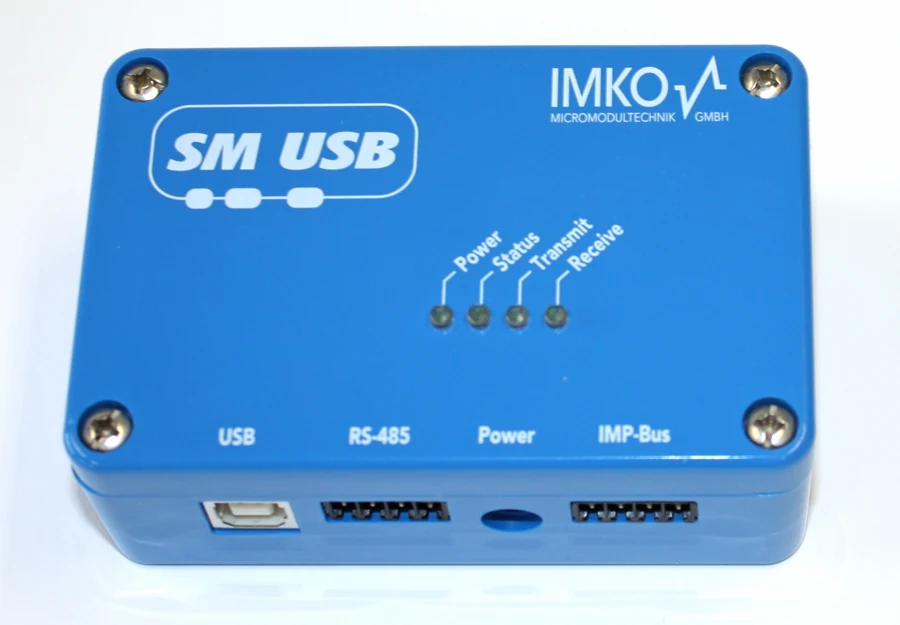
SM-USB
USB to RS 485 and IMP bus converter. Connects SONO probes to a Windows PC over the serial interface.
- USB to RS 485 and IMP bus converter module
- Four ports: USB, RS-485, Power and IMP-Bus
- Power, Status, Transmit and Receive LEDs for at-a-glance diagnosis
- Create your own calibrations for materials not covered by the factory set
- Run test measurements with measurement data storage
- The route into the free configuration software
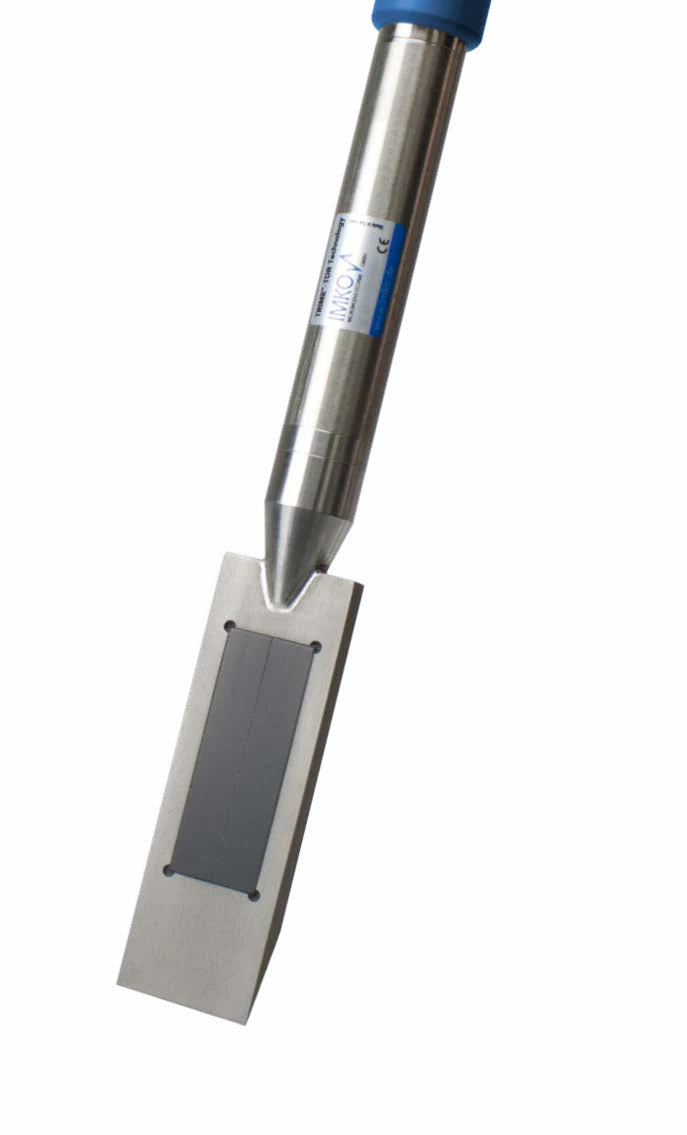
SONO CONNECT
Pairs a phone to a compatible probe over Bluetooth and turns the handset into the readout.
- Connect a phone to a compatible probe — no separate display to carry
- Required for SONO WZ CONNECT
- Record and analyse readings from the phone
- Transmit measurement data straight off the pour or the pile
Free configuration software
No licence, no subscription, no maintenance contract. Download it, connect through an SM-USB converter, and you have full access to the probe.
SonoConfig
Configuration software for SONO probes. Connect through SM-USB to set operating mode, select or build calibrations, and pull stored measurement data.
TrimeTool
Configuration and data tool for TRIME probes across the wider range.
Toolbox
Spreadsheet toolbox for working through calibration and measurement data.
Seztec USA supplies the software links and walks you through first setup. Lifetime technical support and online training are included with every instrument — no contract, no expiry date.
The SM-USB converter
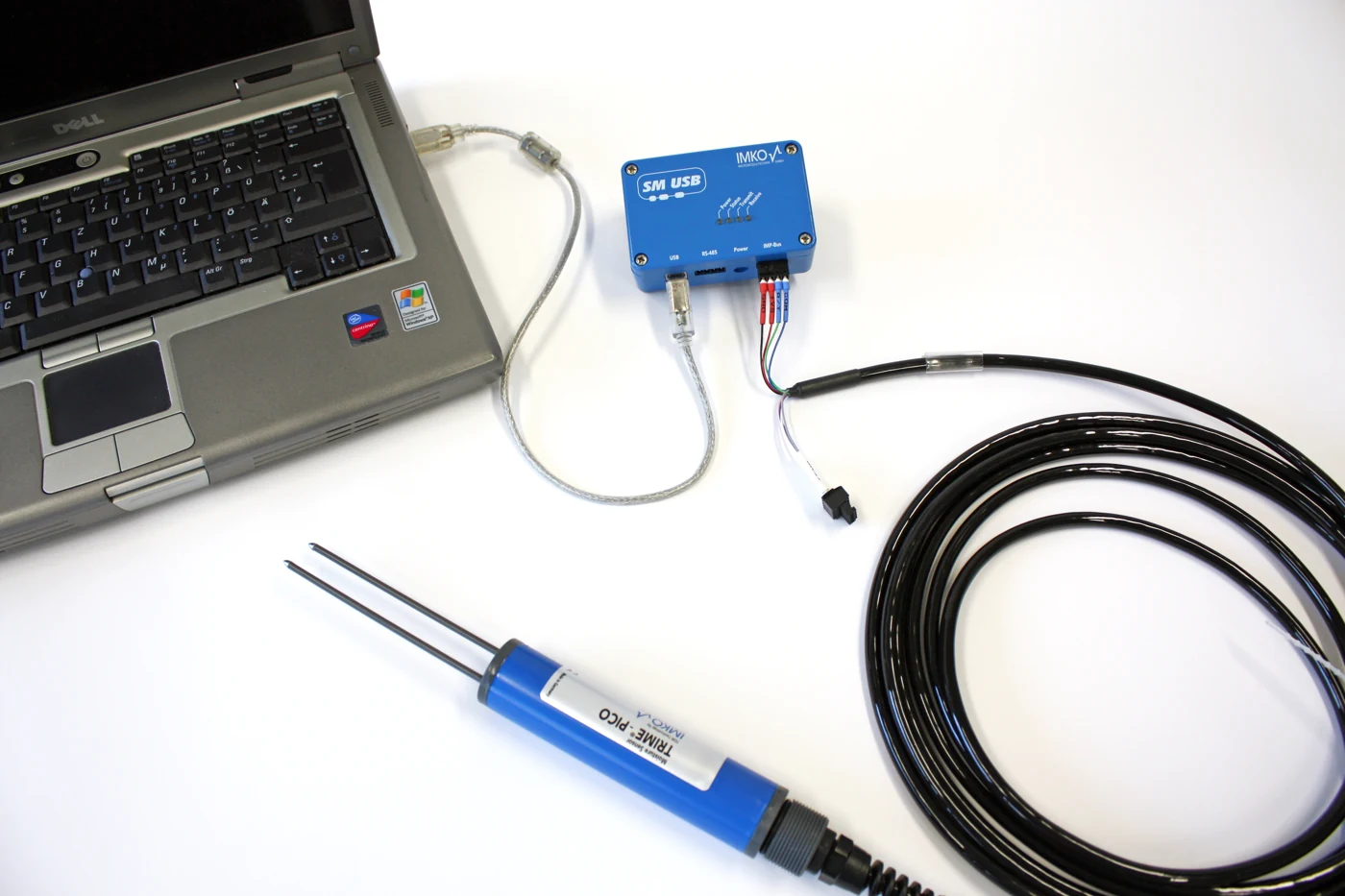
SM-USB is the bridge between a SONO probe and a Windows PC. The probe speaks RS 485 and IMP bus; a laptop speaks USB. The converter sits between them.
You do not need it for day-to-day operation — SONO VIEW handles commissioning and calibration on the plant floor without a computer. SM-USB is what you reach for when you want to build a custom calibration for a material the factory set does not cover, or pull stored measurement data off a probe.
Four ports across the front — USB to the PC, RS-485 and IMP-Bus on removable screw terminals, and a DC jack for the supplied plug-in power supply.
| USB | Type B, to the PC |
|---|---|
| RS-485 | 4-pin removable terminal block |
| Power | DC barrel jack, plug-in supply included |
| IMP-Bus | 4-pin removable terminal block |
Four LEDs, and what they save you
The four LEDs are worth knowing because they turn a wiring problem into a thirty-second diagnosis. Power lit but Status dark is a converter fault. Transmit flashing with no Receive means the PC is talking and the probe is not answering — wiring, address or termination. Both flashing means the link is fine and the problem is in the software.
| Power | Supply present |
|---|---|
| Status | Converter ready |
| Transmit | Data going out to the probe |
| Receive | Data coming back |
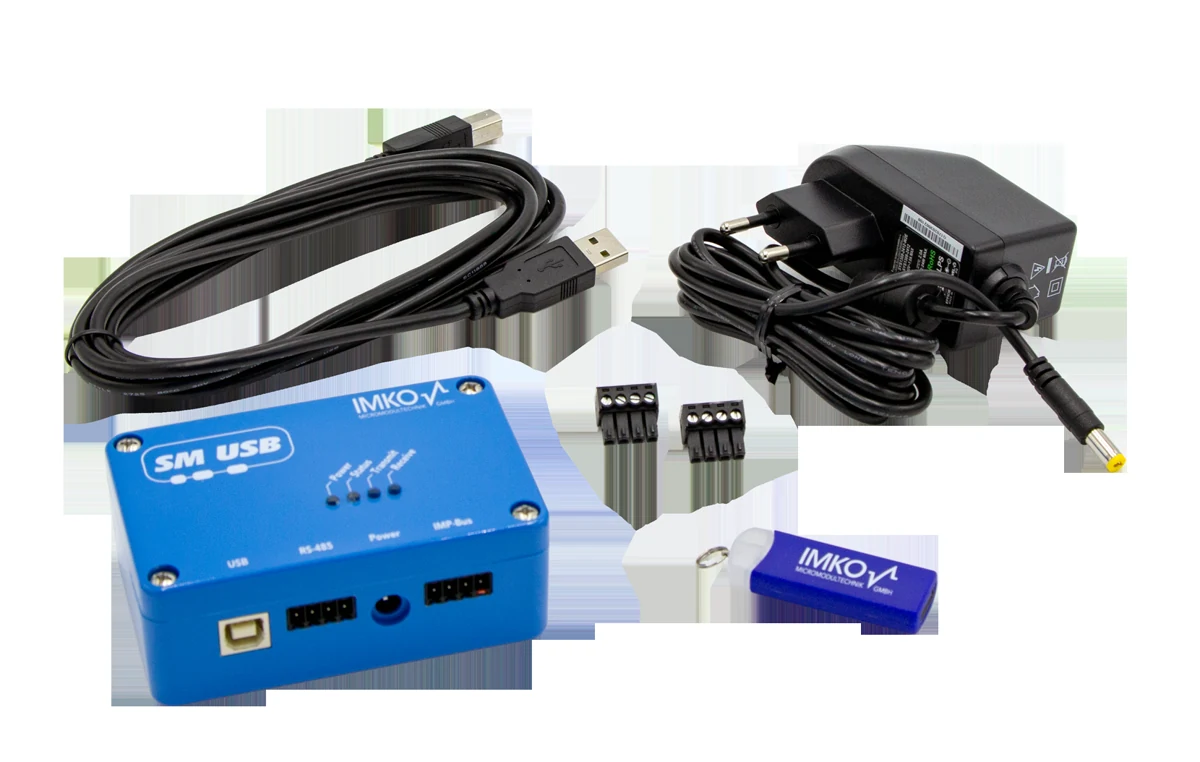
- SM-USB converter module
- USB A-to-B cable
- Plug-in power supply
- Two 4-pin screw terminal blocks (RS-485 and IMP-Bus)
- USB stick with software
Probe, converter, laptop
The whole arrangement is three items. The probe's IMP-Bus leads land on the removable terminal block, a USB cable runs to the laptop, and the plug-in supply powers the converter. From there the free software sees the probe directly — read live measurements, build a calibration against your own oven-dried samples, and store the result back to the probe.
One probe or sixteen
The simplest installation is one probe, one analog pair, straight into the batch controller. Nothing else required.
Where you have several sand silos or aggregate bins on the same line, probes can be networked over the IMP bus onto a single control system, with SONO VIEW as the display. That is also the arrangement to use when cable runs are long enough that a standard serial connection would struggle.
A wireless interface is available for parameterization and for transmitting, recording and analysing readings — which is the fastest way to set up a calibration for a new aggregate.

Installation hardware
Brackets, slides, cables and wear parts. Which you need depends on where the probe goes and how abrasive the material is.
| Clamping ring | Mounting flange for SONO VARIO. Steel, 108 mm inside diameter, 132 mm outside. |
|---|---|
| Sliding carriage — stainless | For conveyor belt installation, suits all SONO round sensors. Mounting flange included. |
| Sliding carriage — plasma-hardened | Plasma-hardened sliding surface for belt installations. Material 1.4301. |
| Sliding carriage — WIDIA | Highly wear-resistant WIDIA sliding surface for the hardest belt service. Structural steel 1.0037. |
| Universal tilting bracket | Adjustable in three dimensions, ideal under a silo discharge. Stainless plate V2A. |
| Extension tube | For rod sensors. Stainless V2A 1.4301, 45 mm inside diameter, 55 mm outside. |
| Sensor cables | 4 m, 10 m and 25 m. Six twisted pairs, 6 × 2 × 0.25 mm², shielded, 10-pin MIL connector. Fixed gland version at 5 m, IP 67. |
| Replacement wear heads | Replaceable heads for round and rod sensors. Ø108 mm for SONO VARIO Xtrem. |
Connectivity — frequently asked
How does a SONO moisture probe connect to a batching controller?
Through a standard analog output — 0–20 mA, 4–20 mA or 0–10 V — exactly as any other moisture probe would. Electrical integration is identical to other measuring systems and the probe is powered from system voltage.
Do I need a laptop to set up the probe?
No. SONO VIEW is a wired stand-alone display that handles parameterization and commissioning on its own — select, change or create calibrations and read the probe directly. A PC is only needed if you want to build custom calibrations or pull stored measurement data, which is what SM-USB and the free software are for.
Is the configuration software free?
Yes. SonoConfig for SONO probes, TrimeTool for the wider TRIME range, and an Excel toolbox are all free downloads. You connect through an SM-USB converter under Windows.
Can I run several probes on one system?
Yes. Multiple SONO probes can be networked over the IMP bus and connected to a single control system — practical when you have several sand silos or aggregate bins on the same line. SONO VIEW visualises up to 16 probes on one display.
What is the IMP bus for?
Long cable runs. It is the robust option where distance would degrade a standard serial connection. It requires a display unit such as SONO VIEW. RS 485 is the alternative serial route.
How many calibrations come loaded on the probe?
Fifteen typical product calibrations ship as standard — aggregates, sand, gravel, crushed stones. Custom calibrations for your own materials can be created with SONO VIEW or through the PC software.
Send us your controller model
Output configuration depends on what is reading the probe. Tell us the batch controller or SCADA system, the number of probes and the cable distance, and we will specify the interface and the accessories.
Houston, Texas · Most quotes answered within one business day